
GitLab pipelines in Claude: our open source Claude Mod
If you work with Claude Code, you know the routine: Claude writes the code, you run git push, and then the waiting begins. You open a browser tab, find the project in GitLab, click through to the pipeline and refresh until everything turns green. Or red.
That context switch pulls you out of your flow every time. That's why I built ci-pipeline-status: a Claude Code mod that shows the progress of your GitLab CI pipelines right in your session's status line. It's open source, and as of today anyone can use it.
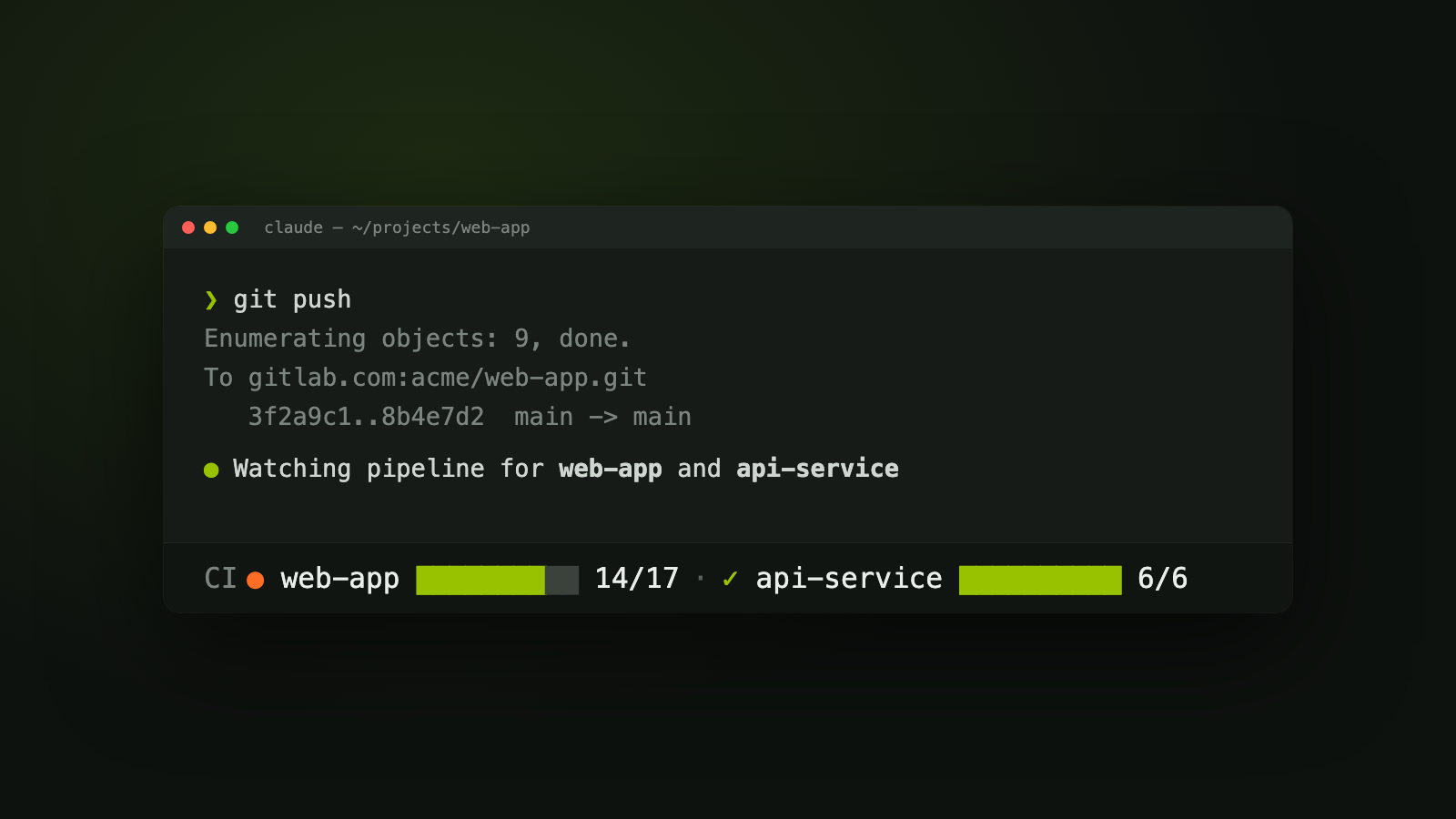
Your pipeline, without leaving your session
After a git push, the Claude Code status line shows your pipeline running, passing or failing. It looks like this:
CI ● web-app ████████░░ 14/17 · ✓ api-service ██████████ 6/6Each project gets a status glyph, its name, a progress bar and the number of finished jobs. A finished pipeline is marked ✓ when it passed, ✗ when it failed and ⊘ when it was canceled. At that moment you also get a toast in Claude Code and a desktop notification, so you don't have to keep watching.
How it works
The mod starts on its own. After a successful git push to GitLab, it reads the To <host>:<project>.git line from the push output and starts watching that pipeline. You don't have to type a thing.
A few things I designed on purpose:
- Several repositories at once. The mod remembers every repository the session touches: where Claude edits files, or where a command runs with
cd <dir>orgit -C <dir>. Working on a frontend and an API at the same time? You see both pipelines side by side. - The right pipeline. The mod watches the pipeline of your HEAD commit, not the latest pipeline of the branch. Until GitLab has created it, the status line shows
○ <project>. - No token in the mod. All communication with GitLab goes through
glab, the official GitLab CLI. The mod itself stores no token. - gitlab.com and self-hosted. With the
GITLAB_HOSTenvironment variable you can also watch pipelines on your own GitLab server. It's the same variableglabreads, so one setting covers both. - Lightweight. The mod polls every 10 seconds and stops once every pipeline has finished. If no pipeline shows up within 10 minutes, or GitLab returns only errors, it stops checking that project and tells you why.
The mod also counts a downstream pipeline as one job with that pipeline's status, and manual jobs that never ran don't count toward the progress.
Claude can start watching a pipeline itself too, with the watch_pipeline tool. Ask Claude to push and check whether the build passes, and it now has its own instrument for that.
Install it in two minutes
You need Claude Code with mod support, and glab logged in to your GitLab server. If you log in with a personal access token, the read_api scope is enough.
brew install glab
glab auth login
Then install the mod from the Claude Code prompt:
/plugin install ci-pipeline-status --marketplace ennovative-solutions/gitlab-pipeline-claude-modAnswer y to add the marketplace and pick a scope. In the desktop app, click + next to the prompt box, then Plugins, and add the marketplace ennovative-solutions/gitlab-pipeline-claude-mod.
Most of the time you don't need to do anything else. If you do want to steer it yourself, there's the /pipeline command:
| Command | What it watches |
|---|---|
/pipeline | The pipelines of every repository this session touched |
/pipeline ../web-app | The pipeline of the HEAD commit in that local folder |
/pipeline <pipeline URL> | That one pipeline |
/pipeline stop | Nothing anymore: the status line is cleared |
This also covers the one edge case: when the push output has no To ... line, the watch doesn't start by itself. A quick /pipeline fixes that.
Open source, and already in the mod directories
The source code is on GitHub under the MIT license. There was already a mod that shows GitHub Actions status in the status line; for GitLab teams, that was missing until now.
You can find the mod here:
- GitHub: the source code, issues and releases.
- Awesome Claude Code Mods by AI Dojo: the mod is listed and scanned there. It passes
claude plugin validate, and the scan shows exactly which hooks and API calls it uses, so you know up front what it can do. - ClaudeMod: the community hub for Claude Code mods, skills and MCP servers. The mod has been submitted there.
Development happens in the open too. Every pull request runs CI with JSON validation, a version check, type-checking, the test suite and a gitleaks secret scan. The tests run against a fake engine with fixtures, so you don't need a GitLab account or a network connection to contribute.
Try it and let me know
Do you work with Claude Code and GitLab? Install the mod, push something, and watch your pipeline appear in your status line. No more tabs, no more refresh.
Got an idea, a bug or an improvement? Issues and pull requests are welcome. And if you find the mod useful, give the project a star on GitHub: that helps other GitLab teams find it too.